Guide
Dec 8, 2025
Hello 😊
Today, I would like to introduce you to the new
AI report feature that will be added to the home dashboard.
AI Report that organizes numbers and graphs all at once
Until now, you might have checked the status of your store and warehouse through
inbound and outbound trends, inventory status, and item-by-item graphs.
Now, an automatically organized summary report by AI will be added here.
You can think of it as a card that shows
important changes and points to keep track of in sentence form, without having to interpret each graph and number.
For example, it feels like this 👇
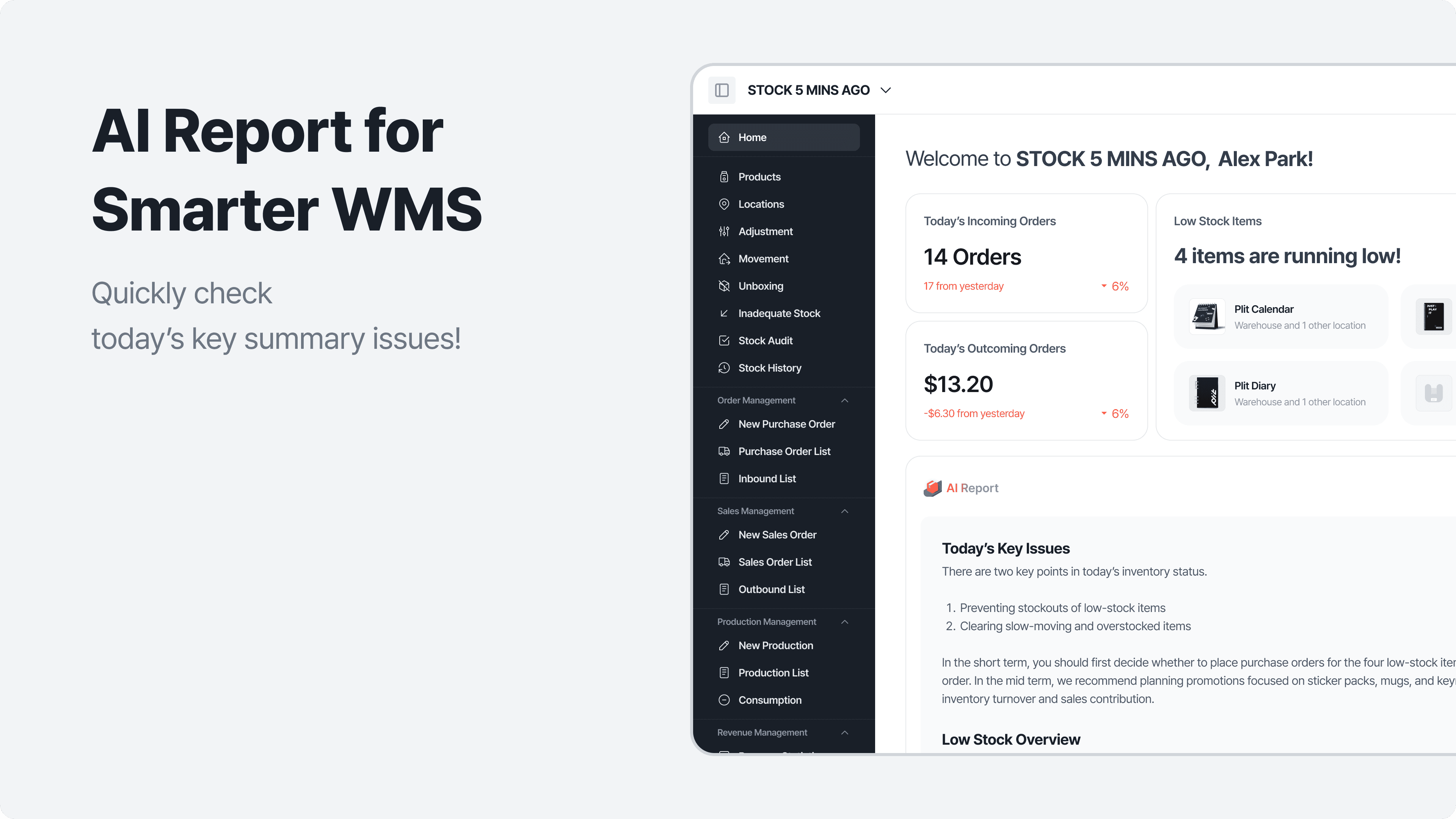
"This week, the outbound in the beverage category has increased by 32% compared to last week.
In particular, 'Zero Cola 500ml' is likely to sell out within 3 days, so it seems an additional order is necessary."
"Snack stock has piled up significantly compared to last week.
'Chocopie' and 'Big Pie' can afford to reduce the order quantity for a while."
It’s more like a feeling that AI organizes and explains the part that only came through numbers and graphs.
What does the Home Dashboard AI Report tell us?
The AI report summarizes the flow of inventory today/this week on the home dashboard.
The key contents include the following.
1. Key summary in one line
"This week has the fastest inventory depletion rate."
"Inbound has increased, but outbound has decreased, so inventory is piling up."
As such,
we first present a one-line summary that allows you to grasp the current situation at a glance.
2. Easily overlooked risky/caution items
The AI report automatically highlights items based on the data flow, such as:
Items with a risk of being sold out soon
Items with excessive inventory
Especially busy items that are concentrated in certain days/times
It feels like AI tells you about changes that you might have missed while just looking at the graphs.
3. Suggestions for next actions
It doesn’t just end with "it looks strange";
if possible, it also suggests a simple operational guide.
"Consider increasing the order quantity for product A in box units."
"For product B, considering the recent depletion rate, it seems okay to reduce the order quantity."
"Product C can be used for events/promotions to deplete stock."
Of course, the final decision is up to the store manager and the responsible person,
but the role of the AI report is to reduce the worries before making that decision.
This feature is more suitable for such stores/teams
The AI report feature is especially useful for those who:
Store managers who feel overwhelmed trying to understand the overall flow because there are multiple stores/warehouses
Operators who are confused about whether inventory is circulating properly despite good sales
People who open the home dashboard but
have felt that "I don’t know if it’s okay right now, even after looking at the graphs."
The AI report is
like having a team member who reads the data for you.
However, it is designed as a helper that only provides "advice" and "insights," leaving the final judgment and choices to the user.
Future expansion of AI-based inventory insights
This update
starts with the summary type AI report on the home dashboard, but
our team is already considering the next steps.
For example,
In-depth analysis reports by category and brand
Demand change analysis tailored to seasons/events (holidays, year-end, etc.)
In-depth reports connected with planned AI demand forecasting and automatic ordering functionalities
It is expected to expand.
We are also considering adjusting the report wording and criteria differently by industry to better match the language and situations used at actual stores.
If you come up with feedback,
"It would be nice to include this content in the report."
"This standard seems to fit better for our industry."
feel free to send it to the outbound team anytime.
The feedback from the field is
the most important ingredient that makes the AI functionality smarter 🙌
Now, you don’t have to read numerous numbers and tables one by one,
"What the current inventory situation is and what to take care of first"
can be captured directly on the home dashboard.
We hope that with the AI report prepared by our team,
inventory management becomes a little lighter today as well.
Thank you for reading 💙
We will gradually introduce features that will save time for you and your team in the future!